
BugTrace – Debug Log Tool
Find and fix WordPress errors without FTP or editing wp-config.php. View your debug log, toggle debug constants and inspect your server, all from wp-admin.
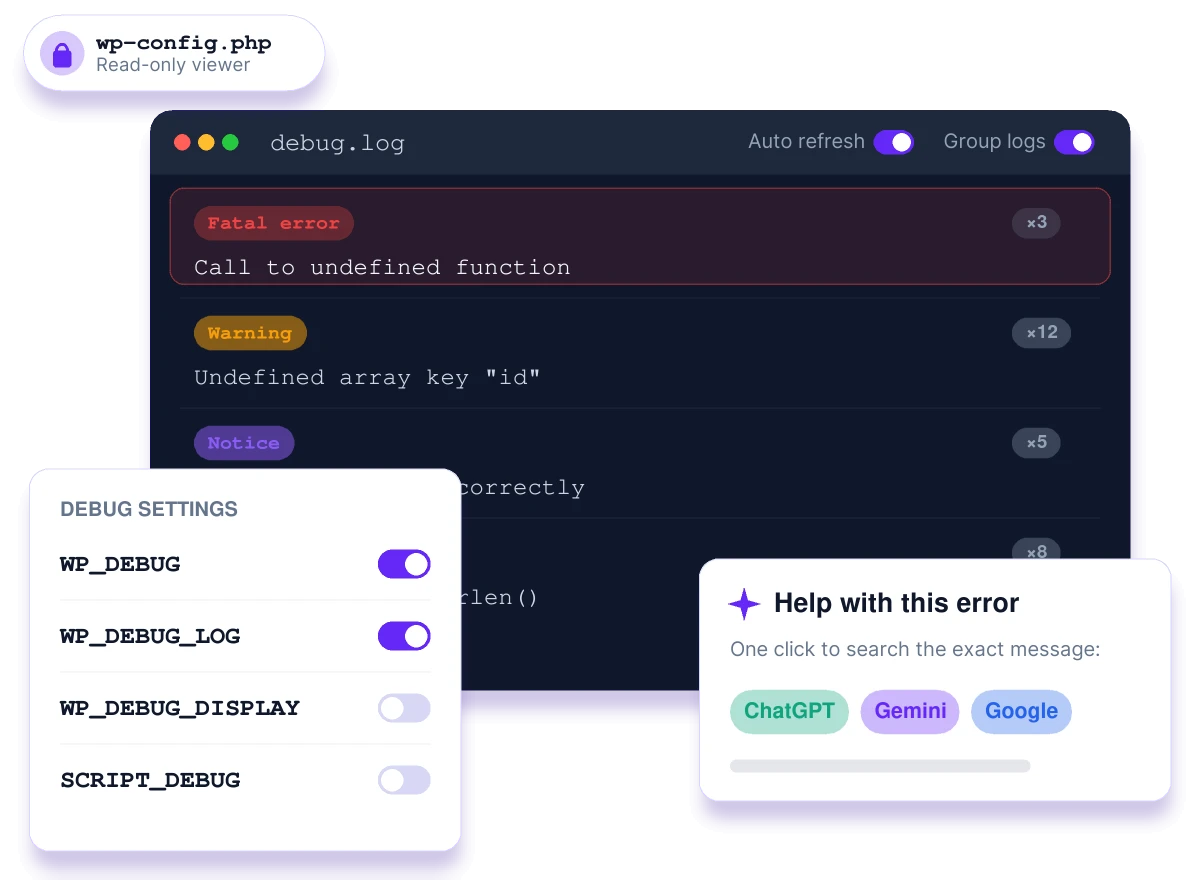
Debugging WordPress shouldn't mean opening FTP
Every white screen starts the same way: connect over FTP, edit wp-config.php, hope you didn’t add a typo, then dig through a raw log file. BugTrace does it all from your dashboard.
The old way
- Connect over FTP or SSH
- Edit wp-config.php by hand and risk a syntax error
- Scroll through a raw, repetitive debug.log
- Copy each error into Google one by one
- Ask your host for PHP and server details
With BugTrace
- Toggle debug constants from your dashboard
- No code edits, so no white screens from typos
- Read grouped, timestamped errors in a clean viewer
- Search any error on ChatGPT, Gemini or Google in one click
- See PHP, database, cron and config details instantly
Everything you need to debug WordPress
A clean, minimal toolkit that covers the whole debugging workflow, from the first error to the fix.
One-click debug toggles
Turn WP_DEBUG, WP_DEBUG_LOG, WP_DEBUG_DISPLAY and SCRIPT_DEBUG on or off without editing code.
Live log viewer
Read debug.log with auto or manual refresh. Repeated errors are grouped for easy reading.
AI help for every error
Send any log entry to ChatGPT, Gemini or Google in one click to find the fix faster.
Download, copy, clear
Export the log, copy it to your clipboard, or clear it with a safety confirmation.
Safe file viewers
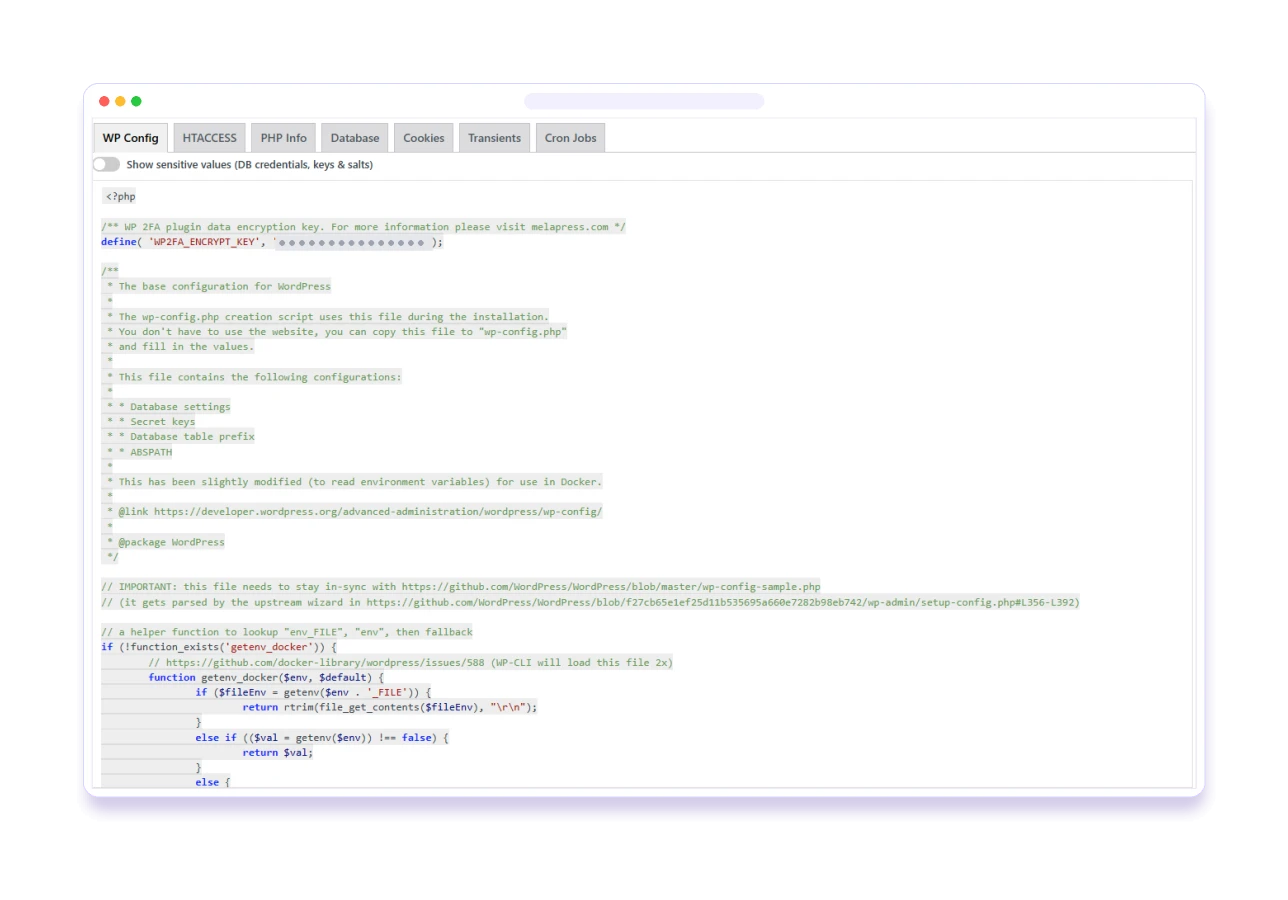
Read-only, syntax-highlighted views of wp-config.php and .htaccess.
phpinfo() with search
Your full PHP configuration, searchable, without leaving WordPress.
Database insights
Every database table with its size and row count, searchable.
Cron, transients & cookies
See scheduled cron events, transients and cookies, all read-only.
Admin bar shortcuts
View, download or clear the debug log from any page in wp-admin.
Built for real debugging sessions
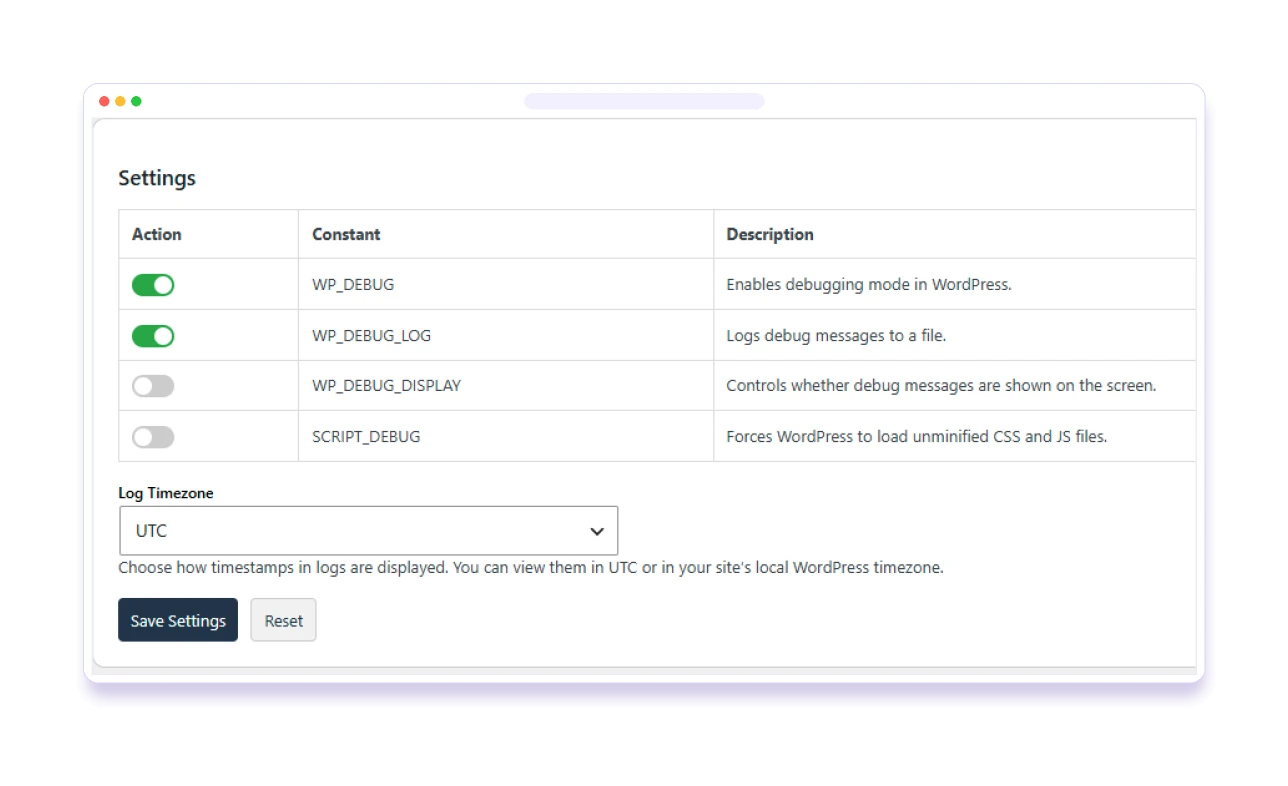
Debug mode in one click, not one typo
Stop editing wp-config.php by hand. BugTrace safely switches the WordPress debug constants for you, and warns you if the file isn’t writable.
- WP_DEBUG, WP_DEBUG_LOG, WP_DEBUG_DISPLAY & SCRIPT_DEBUG
- Admin notice when wp-config.php isn't writable
- Switch debugging off again just as fast
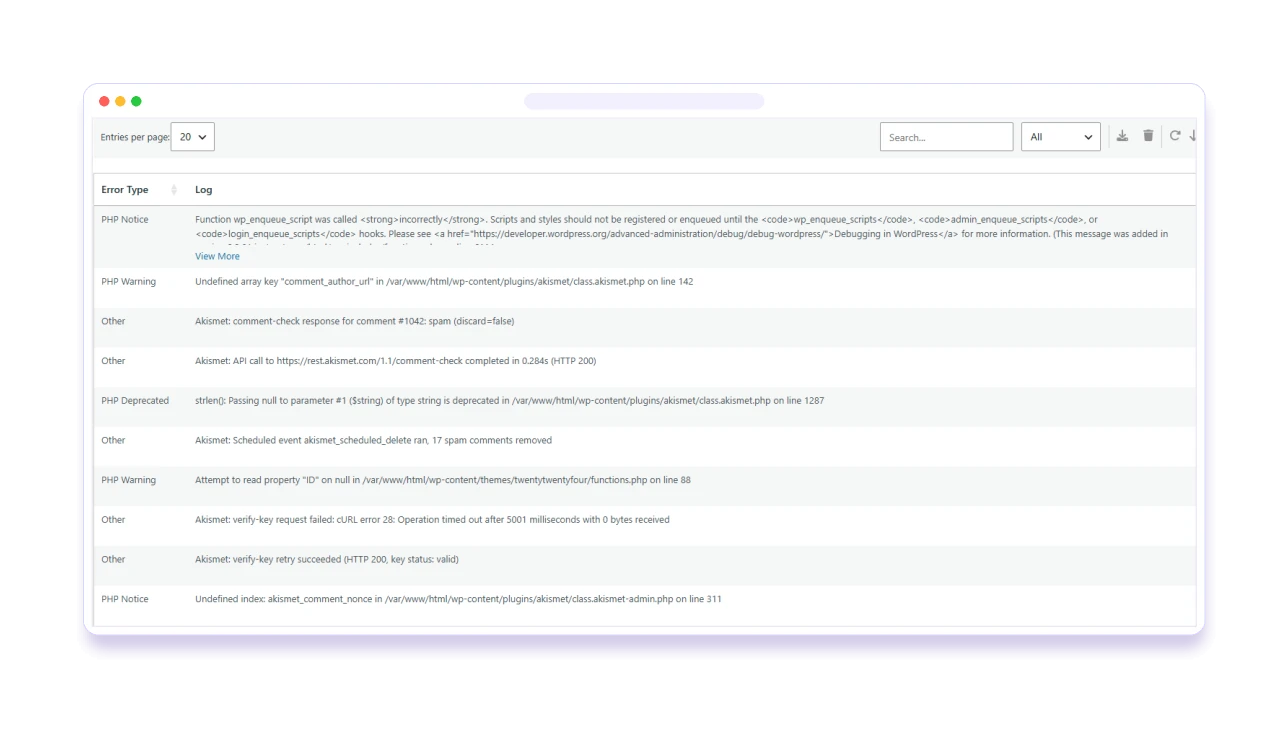
Errors you can actually read
Repeated errors are grouped, so you see a problem once, not a thousand times. Watch new entries arrive with auto-refresh, or refresh when you choose.
- Timestamps in UTC or your site's timezone
- Log size adjusts to your PHP memory limit
- Download, copy to clipboard, or clear with confirmation
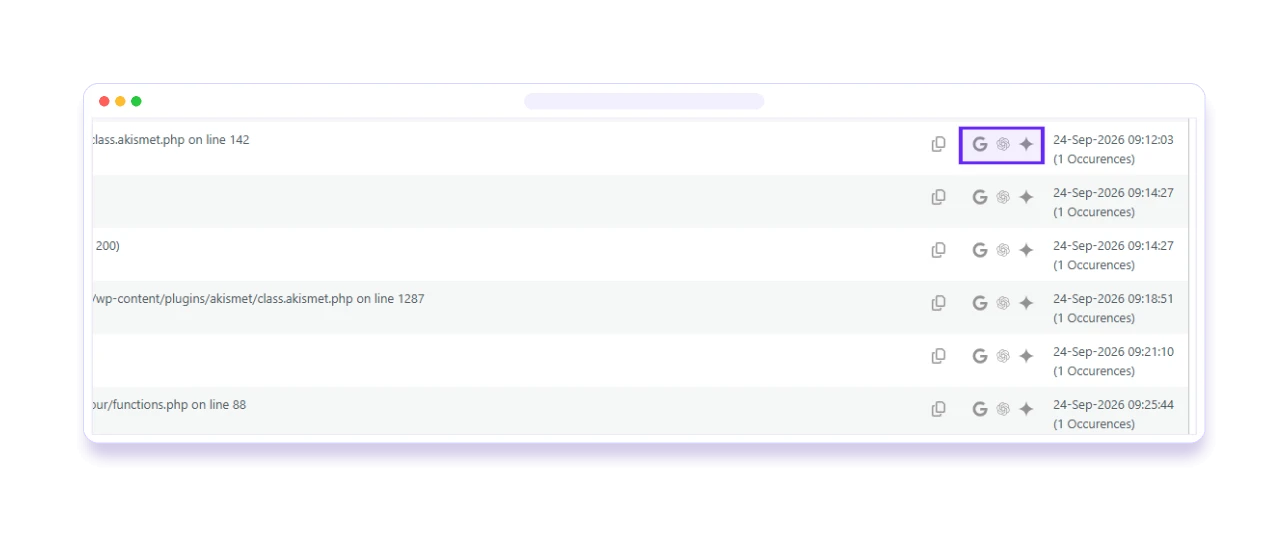
From error to fix, faster
Every log entry has one-click links that send the error to ChatGPT, Gemini or Google. No more copying, pasting and searching.
- Explanations and code snippets in seconds
- Works for errors, warnings and notices
- Opens in a new tab, so your log stays put
Everything your host's support would ask for
PHP info, database tables, cron jobs, transients, cookies and config files, all in one place and all read-only.
- Searchable phpinfo() and database table list
- Syntax-highlighted wp-config.php and .htaccess
- Scheduled cron events, with a warning if WP-Cron isn't working
Made for the moments that matter
White screen after an update
Find the fatal error behind it in seconds, and turn error display off before visitors notice.
"The site feels slow"
Check database table sizes, transients and cron jobs to find what is weighing it down.
Scheduled tasks not running
See every scheduled cron event, and get a clear warning if WP-Cron isn't working.
Building a theme or plugin
Enable SCRIPT_DEBUG and keep the log open while you develop, with shortcuts everywhere.
Safe to use, light to run
Lightweight
A minimal interface focused on essentials. It won't slow your site down.
Read-only where it matters
Config files, cookies and transients are shown read-only, so nothing changes by accident.
Your logs stay private
Errors are only sent to ChatGPT, Gemini or Google when you click a help link.
100% free
No Pro version and no locked features. Everything is in the free plugin on WordPress.org.
Frequently asked questions
Is it safe to use BugTrace on a live website?
Yes. Just be careful when enabling WP_DEBUG or WP_DEBUG_DISPLAY on a live site, as error messages could be shown to visitors. We recommend using debug mode on staging, or only for short troubleshooting sessions on live sites.
How do the AI help links work?
Next to each log entry you’ll find ChatGPT, Gemini and Google icons. Clicking one opens a new tab and searches that platform for the exact error, so you don’t have to copy, paste and search yourself.
Can I download the debug.log file?
Yes. If a debug.log file exists and WordPress can read it, you can download it from the admin panel in one click, or copy the whole log to your clipboard.
Will BugTrace slow down my site?
No. BugTrace is intentionally lightweight, with a minimal interface focused on essential debugging tools.
What if my wp-config.php file isn't writable?
BugTrace shows an admin notice on its settings page so you know the debug toggles can’t be saved, and you can still read the file and your logs.
What server information can I see?
phpinfo() output, database tables with size and row count, scheduled cron events, transients, cookies, and read-only views of wp-config.php and .htaccess.
Is BugTrace really free?
Yes. BugTrace is 100% free and open source under the GPL. There is no Pro version. Every feature is included in the plugin on WordPress.org.
Where can I get help?
Ask in the BugTrace support forum on WordPress.org. We read and answer every thread.
Actively maintained
Regular releases, tested with the latest versions of WordPress and PHP.
Version 1.1.0
- Fix: PHP notice fixes
Version 1.0.9
- New: Search in phpinfo() and database tables
- New: Syntax highlighting for wp-config.php and .htaccess
- New: Confirmation before clearing the log
- Performance and security improvements
Version 1.0.7
- New: View logs in UTC or WordPress timezone
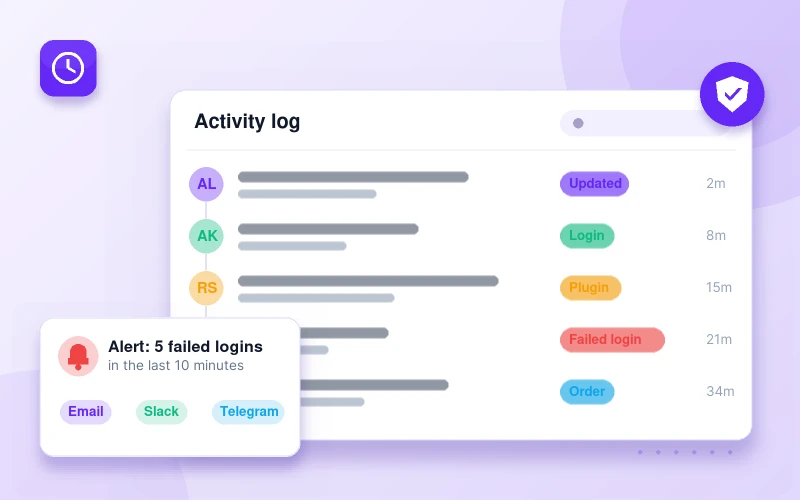
BugTrace shows you the error. Pastmark shows you who caused it.
Pastmark keeps a complete activity log of logins, content edits, plugin updates and settings changes, so you can see exactly what happened right before things broke.
Debug WordPress in minutes, not hours
BugTrace is free forever. Install it from WordPress.org in seconds.