
Pastmark – Activity Log & Audit Trail
Know who did what on your WordPress site, and when. A complete, searchable log of logins, content edits, plugin changes, settings and WooCommerce orders, stored privately in your own database.
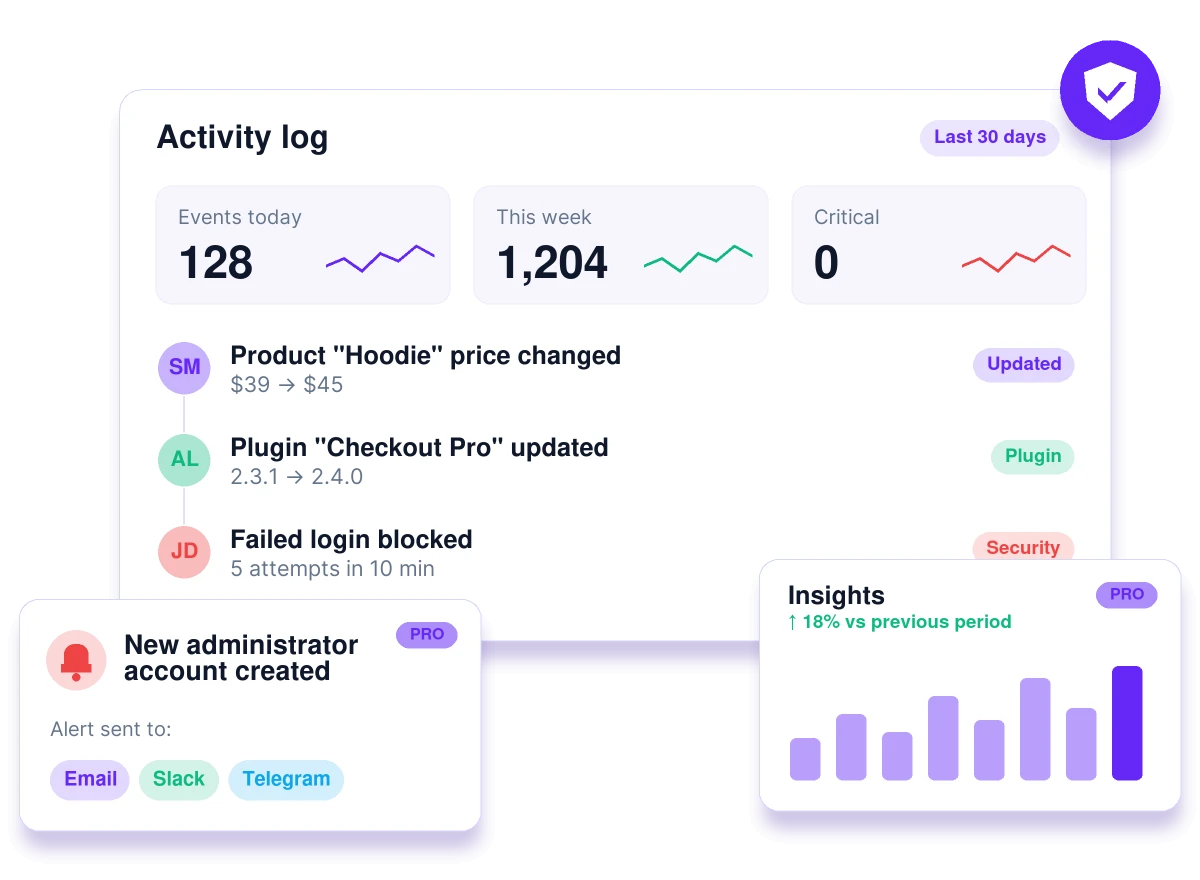
"Who deleted that page?" Now you'll know.
A page disappears, a price changes, permalinks break, or someone keeps trying to log in. Without an activity log, you can only guess. Pastmark records every change as it happens.
Without an activity log
- Guess who changed a setting or deleted a page
- No record of failed logins or brute-force attempts
- Order and price changes nobody can explain
- Clients ask "what happened?" and you have no answer
- Server logs that don't show WordPress actions
With Pastmark
- Every change recorded with user, time and IP address
- Failed logins tracked, brute-force runs grouped into one entry
- Before and after values for orders, products and settings
- A searchable timeline you can share with clients
- Email summaries so you don't have to log in to check
A complete audit trail for WordPress
Pastmark logs the user, timestamp, IP address and details behind every event, without slowing your site down.
Login & security tracking
Successful and failed logins, registrations, role and password changes. Brute-force attempts collapse into one entry.
Content changes
Posts, pages, custom post types, comments, media, menus and widgets: created, updated, trashed and restored.
Plugins, themes & settings
Installs, updates, activations, and every change to core settings like site URL, permalinks and timezone.
WooCommerce activity log
Orders, line items, refunds, products, coupons and store settings, with before and after values.
13+ integrations
EDD, ACF, WPForms, Gravity Forms, Yoast SEO, Rank Math, Wordfence, Tutor LMS and more. Detected automatically.
Searchable dashboard
Table or timeline view with filters for severity, actor type and integration, plus a live "new events" banner.
Email reports & retention
Daily or weekly activity summaries by email, and automatic cleanup of old entries on your schedule.
Fine-grained control
Exclude users, roles, IPs, post types or meta keys. Start from Essential, Recommended or Complete presets.
Developer API
Log your own custom events with pastmark_log_event() or the REST API, using the same rules as built-in events.
Built for agencies, stores and security-minded site owners
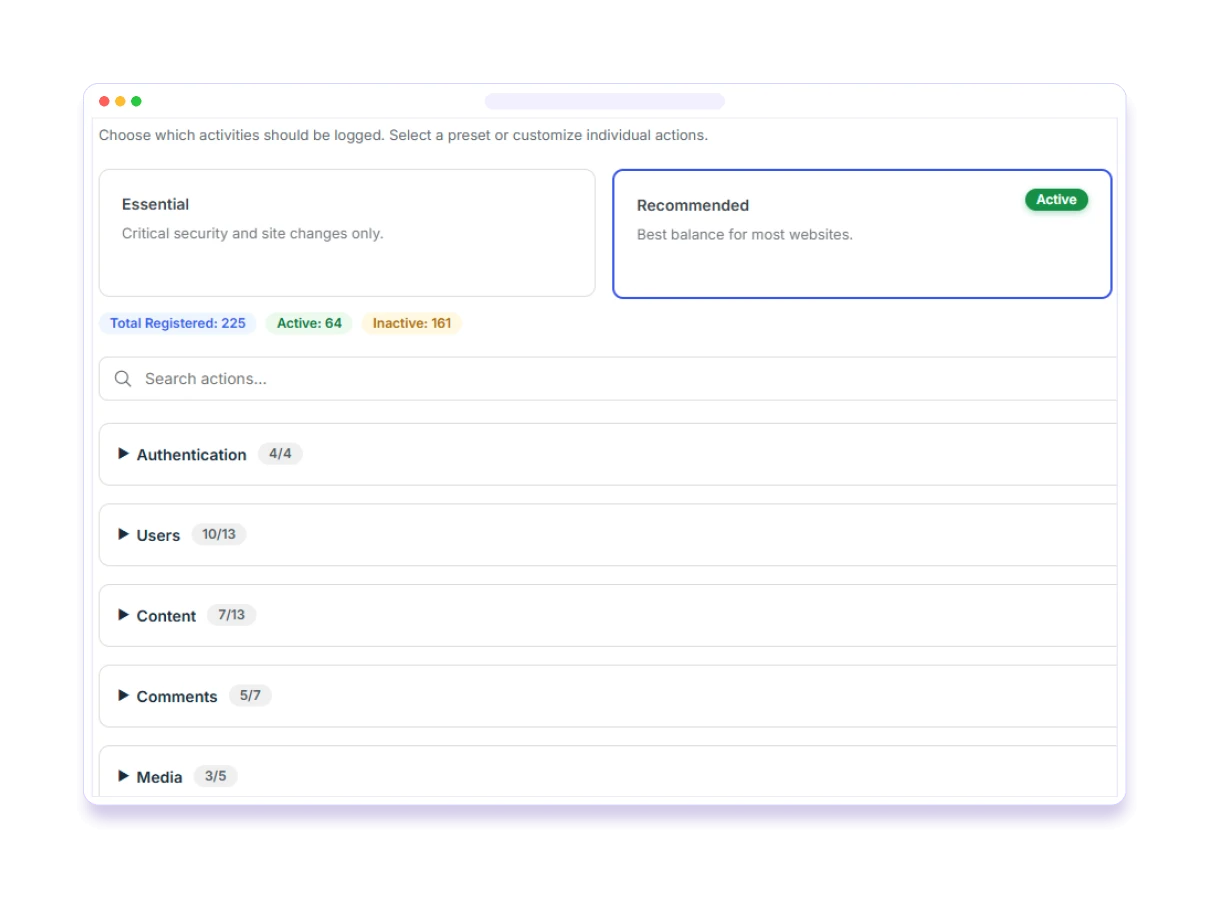
Choose exactly what gets logged
Start from a preset and fine-tune individual events, so your log captures what matters without the noise.
- Essential, Recommended and Complete presets, or build your own
- 225 trackable events across users, content, plugins, themes and more
- Enable or disable whole categories, or search for a single action
Built for online stores
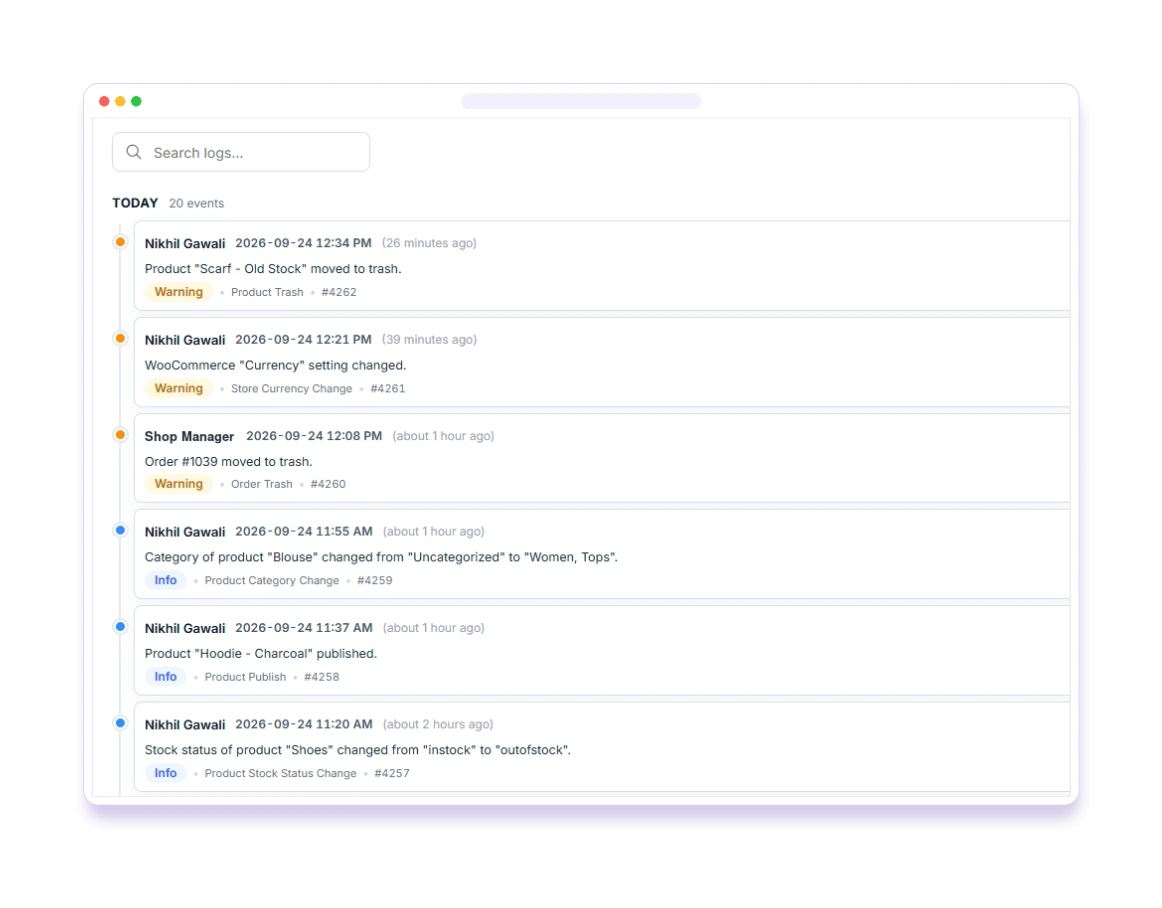
Pastmark extends its logging to your store automatically, with 167 WooCommerce events and field-level detail.
- Orders, line items, refunds and order totals with before/after values
- Product edits down to price, stock, dimensions and visibility
- Store settings, payment gateways, tax settings and EDD orders
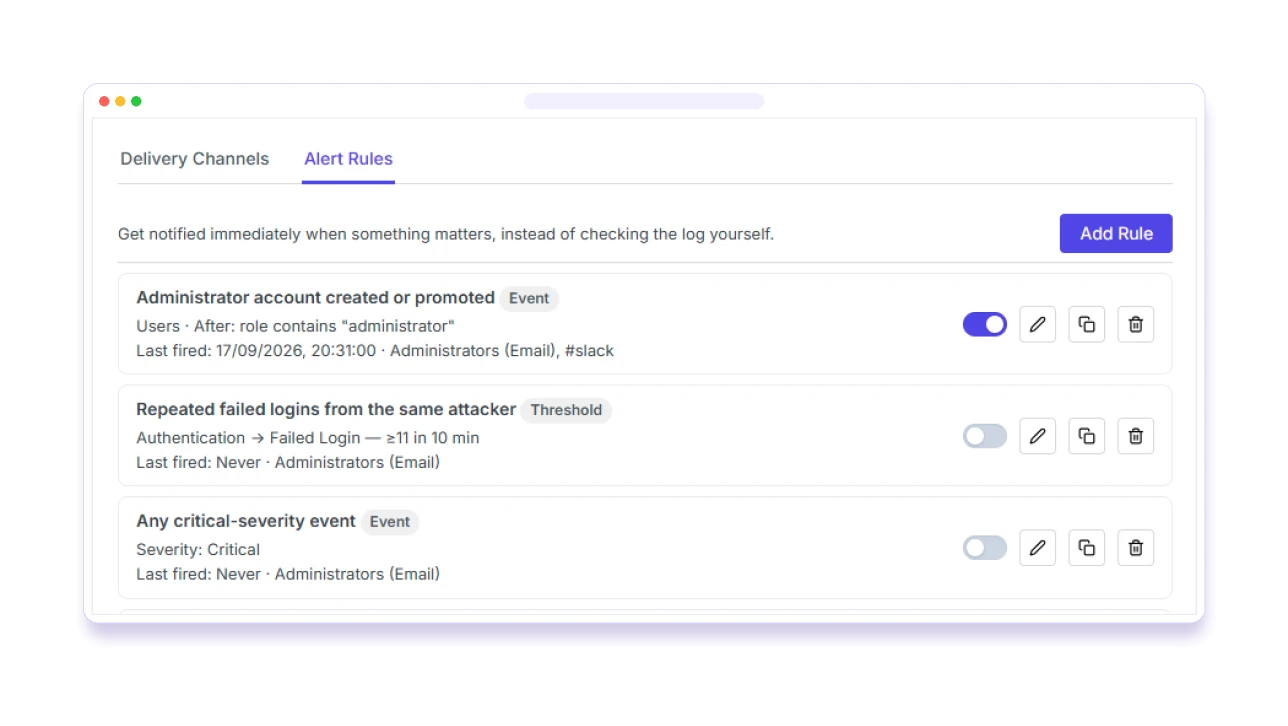
Know the moment something important happens
Create alert rules for the events you care about, and get notified wherever your team already works.
- Trigger on a single event or a threshold, like 5 failed logins in 10 minutes
- Send alerts by email, Slack, Discord, Telegram or webhook
- Ready-made rules for new admins, repeated failed logins and critical events
Reports your clients and auditors will actually read
Schedule professional reports and explore trends in your site’s activity, without exporting a thing.
- Scheduled PDF, HTML or CSV reports: daily, weekly or monthly
- Security review, compliance and user activity report presets
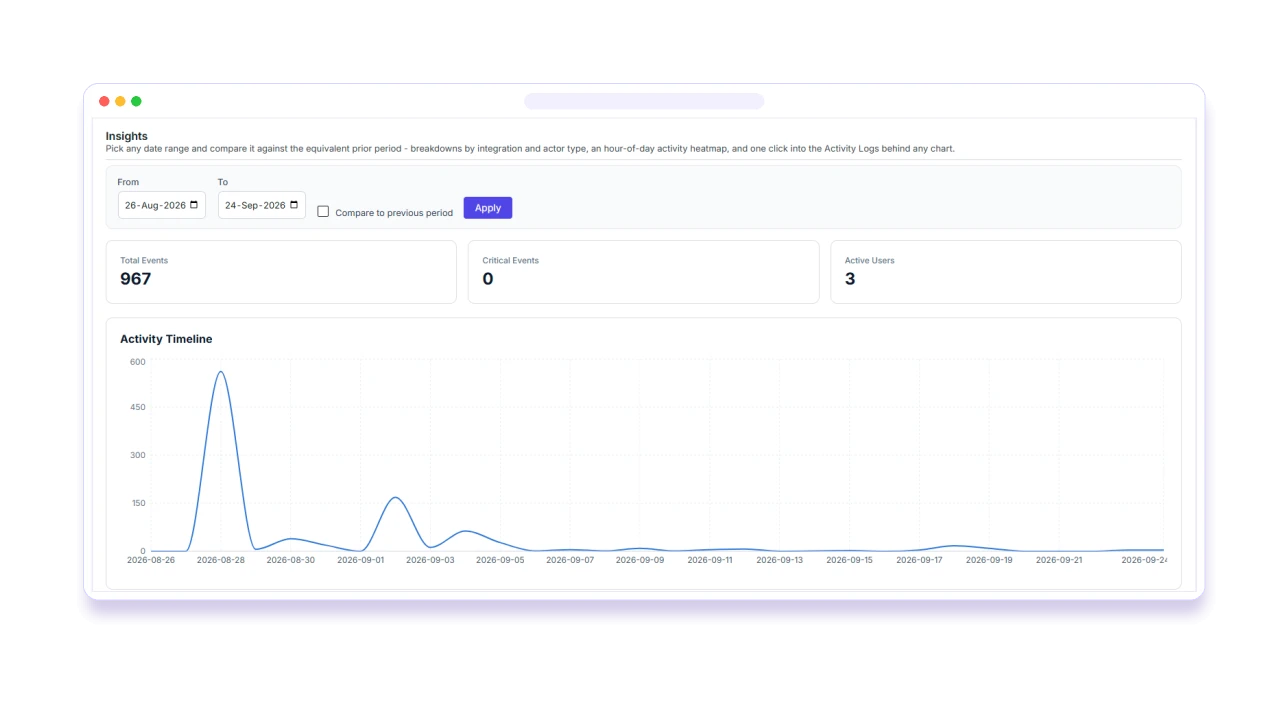
- Insights: timeline, heatmap, top users, top events and failed-login IPs, compared with the previous period
Made for the moments that matter
Agencies & client sites
Answer "who changed this?" in seconds and send clients a scheduled activity report.
Online stores
Track every order, refund, price and stock change, and who made it.
Security monitoring
Spot failed logins, new administrators and suspicious changes early.
Compliance & audits
Keep a reliable audit trail, with GDPR tools and exportable reports.
Free vs Pro
Start with the free version from WordPress.org. Upgrade for real-time alerts, scheduled reports and session control.
Feature
Free
Pro
Simple, transparent pricing
Choose yearly or pay once with lifetime. Every plan includes all Pro features and a 14-day money-back guarantee.
1 Site
For a single website.
/ year
- Use on 1 website
- All Pro features
- 1 year of updates & support
- Renews yearly, cancel anytime
- 14-day money-back guarantee
5 Sites
For freelancers and small agencies.
/ year
- Use on up to 5 websites
- All Pro features
- 1 year of updates & support
- Renews yearly, cancel anytime
- 14-day money-back guarantee
20 Sites
For agencies managing many sites.
/ year
- Use on up to 20 websites
- All Pro features
- 1 year of updates & support
- Renews yearly, cancel anytime
- 14-day money-back guarantee
1 Site
For a single website.
one-time
- Use on 1 website
- All Pro features
- Lifetime updates & support
- One-time payment, no renewals
- 14-day money-back guarantee
5 Sites
For freelancers and small agencies.
one-time
- Use on up to 5 websites
- All Pro features
- Lifetime updates & support
- One-time payment, no renewals
- 14-day money-back guarantee
20 Sites
For agencies managing many sites.
one-time
- Use on up to 20 websites
- All Pro features
- Lifetime updates & support
- One-time payment, no renewals
- 14-day money-back guarantee
Prices in USD. Taxes may apply at checkout. Pastmark Pro requires the free Pastmark plugin.
Your logs stay yours
Stays on your site
Logs are stored in your own database. Pastmark doesn't send your data to external servers.
Sensitive data masked
Passwords, tokens and API keys are detected and masked before anything is stored.
Admins only
Only users with the manage_options capability can view logs and settings.
Light on your database
A dedicated table, compact diffs for large edits, and automatic cleanup of old entries.
Frequently asked questions
What does Pastmark log?
By default, Pastmark logs logins, logouts and failed logins, content changes (posts, pages, custom post types, comments, media), user account changes, menu and widget changes, plugin and theme activity, and WordPress settings changes. You can pick an Essential, Recommended or Complete preset, or choose individual events.
Does Pastmark slow down my site?
No. Logging runs on standard WordPress hooks and writes to a dedicated database table, so the impact on page load times is minimal.
Does Pastmark work with WooCommerce?
Yes. When WooCommerce is active, Pastmark automatically logs orders and line items, refunds, product field changes, categories, tags and attributes, coupons, customer address changes, and every store, payment gateway and tax setting change. No extra setup required.
Where are the logs stored, and for how long?
In a dedicated table in your own database. You can automatically delete entries older than a period you choose (days, months or years), or keep logs indefinitely.
Does Pastmark store passwords or other sensitive data?
No. Common sensitive fields such as passwords, tokens and API keys are detected and masked before a log entry is stored. You can also anonymize IP addresses.
Is Pastmark GDPR-friendly?
Pastmark doesn’t send data to external services, and it works with WordPress’s built-in Export Personal Data and Erase Personal Data tools.
What does Pastmark Pro add?
Real-time alert rules (email, Slack, Discord, Telegram and webhooks), scheduled PDF/HTML/CSV reports, Insights analytics, session management with remote logout, CSV export of logs, and manual log entries.
Do I need the free plugin to use Pro?
Yes. Pastmark Pro is an add-on and requires the free Pastmark plugin to be installed and active.
Do you offer refunds?
Yes. You can request a refund within 14 days of your original purchase, subject to our Refund Policy.
What's the difference between yearly and lifetime?
Yearly plans include one year of updates and support and renew automatically each year until you cancel. Lifetime plans are a one-time payment with updates and support for the lifetime of the product.
What happens if I cancel a yearly plan?
Your license stays active until the end of the period you paid for. After that, Pastmark Pro keeps working, but you won’t receive updates or support until you renew.
Can I move to more sites later?
Yes. Contact us and we’ll help you move to a larger plan.
Actively maintained
Frequent releases with new integrations and deeper logging.
Version 1.0.5 · 16 Sep 2026
- New: Easy Digital Downloads integration
- New: WooCommerce store, payment gateway and tax settings logging
- New: WooCommerce order line items and coupon details
Version 1.0.4 · 5 Sep 2026
- New: "N new events" banner in the activity log
- New: Compact row spacing
- New: TablePress, bbPress, WP 2FA, Ultimate Member, Wordfence and Tutor LMS integrations
Version 1.0.3 · 30 Aug 2026
- New: ACF, WPForms and Gravity Forms integrations
- New: Yoast SEO, Rank Math and Redirection integrations
- Fixed: severity and integration filters
Pastmark shows you who changed it. BugTrace shows you what broke.
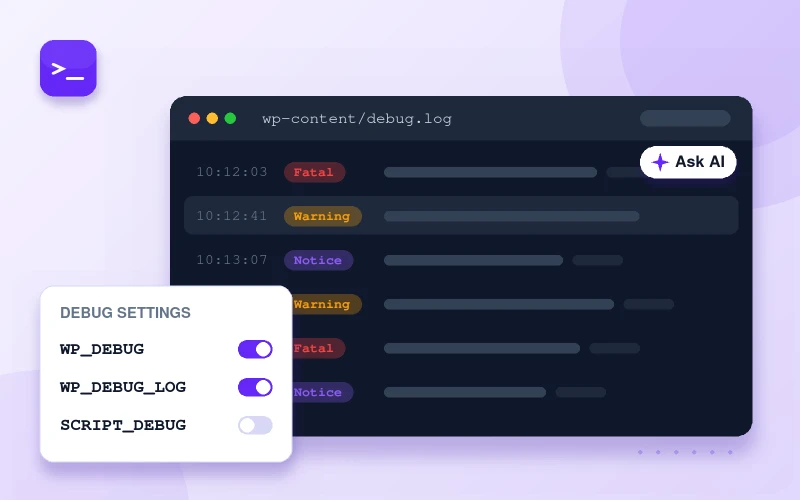
BugTrace gives you a clean debug log viewer, one-click debug toggles and a full server inspector, so you can fix errors as fast as you find them.
Stop guessing what changed
Install Pastmark free from WordPress.org, or go Pro for real-time alerts and scheduled reports.