
On sites with more than one administrator, editor or client login, the question comes up sooner or later: who changed this? A page disappears, permalinks break, a plugin is suddenly inactive. Here is where to look.
What WordPress records by itself
- Post and page revisions: open the post, then the Revisions panel, to see who saved each version and when.
- The Trash: trashed posts and pages stay there for 30 days by default, so a “missing” page may simply be in the Trash.
- Last modified by: the posts list and editor show who last edited an item.
What WordPress does not record
Out of the box, WordPress keeps no history for many of the changes that cause real trouble:
- Plugin and theme activations, deactivations and updates
- Changes to settings such as the site URL, permalinks or timezone
- User role changes and new administrator accounts
- Failed login attempts
- Menu and widget changes
Use an activity log
An activity log (or audit trail) records these events as they happen: who did it, when, from which IP address, and what exactly changed. When something breaks, you open the log and filter by date instead of guessing.
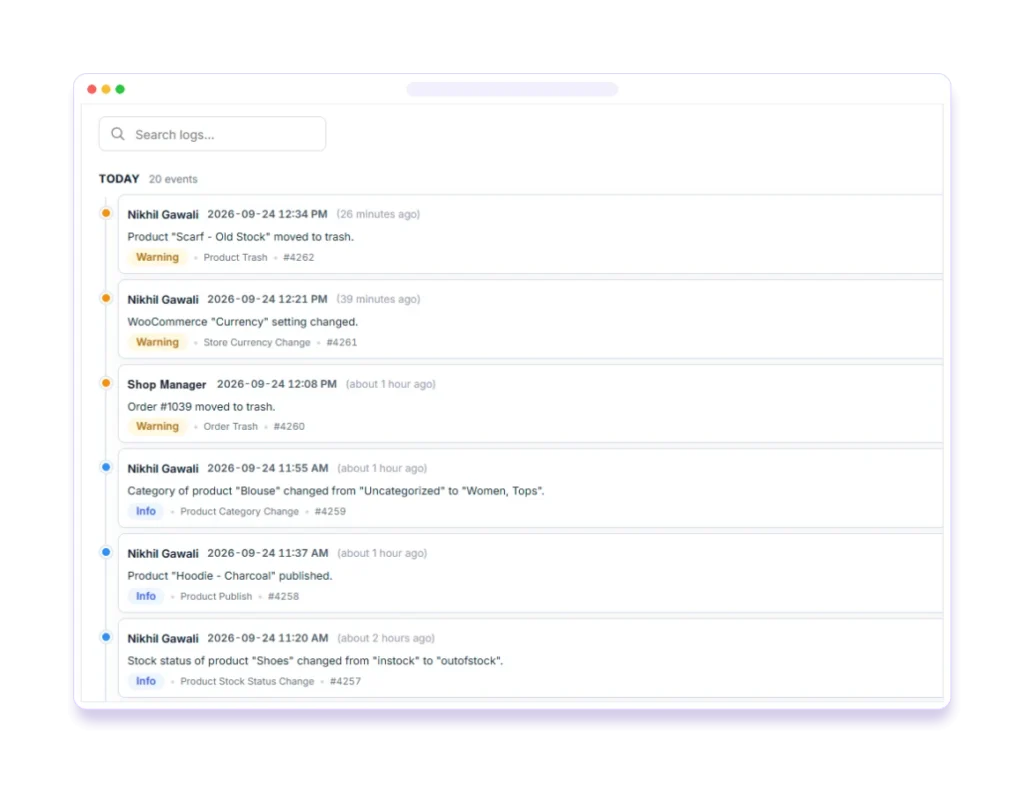
When choosing one, check that it:
- Stores logs in your own database rather than sending them to a third party.
- Masks sensitive values such as passwords and API keys.
- Lets you exclude noisy events and set a retention period.
- Can alert you about important events, like a new administrator account.
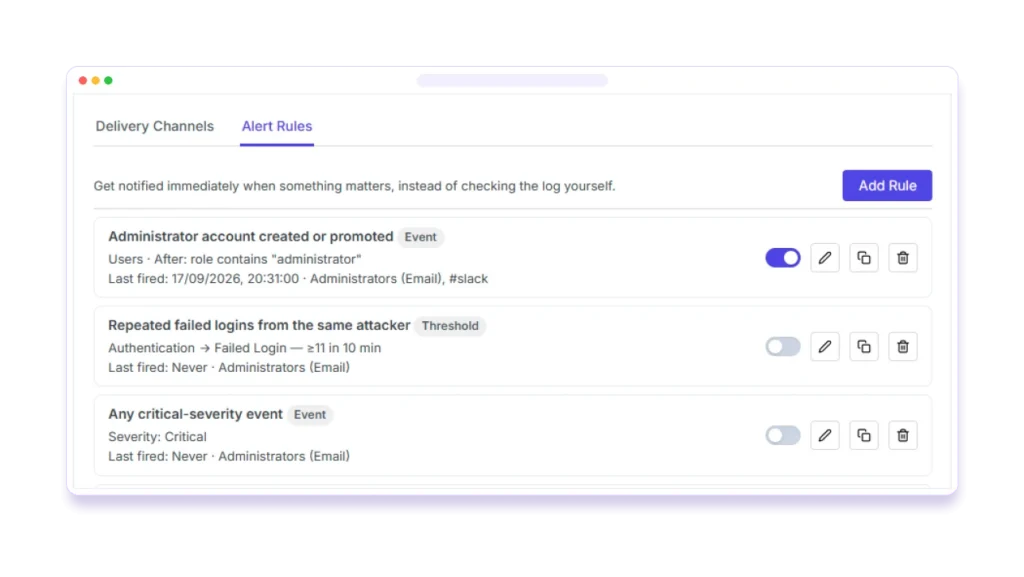
Tip: Pastmark logs logins, content edits, plugin and theme changes, settings and WooCommerce activity, and keeps everything in your own database. The free version is on WordPress.org.